
Table of Contents
Introduction
Even with the right layouts and tools, great design ultimately comes down to a few simple principles. These are the fundamentals that consistently separate clean, professional visuals from cluttered or hard-to-read designs.
Use the rules below as your baseline whenever you’re creating in MSP Studio+. They’re easy to apply, but have a major impact on clarity, balance, and overall visual quality. If you’re ever unsure about a design decision, coming back to these guidelines will help you refine and simplify your work.
These will make the biggest difference.
Top1. Use fewer elements

Less truly is more when it comes to design. Every extra element you add competes for attention, which can dilute your message. Instead of trying to include everything, focus on what actually matters for that specific piece. Ask yourself: What is the one thing I want someone to notice first?
If something doesn’t directly support that goal, consider removing it. For example, not every design needs a subheading, logo, and contact info all at once. Simplifying your layout often makes it feel more modern, more intentional, and easier to understand at a glance.
2. Spacing = design
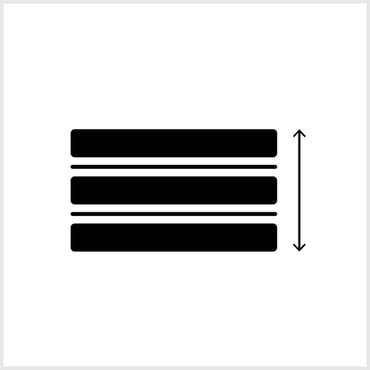
Good spacing is one of the fastest ways to improve any design. When elements are too close together, things feel crowded and harder to read. When you give content room to breathe, it instantly feels more premium and organized.
Start by increasing the padding inside text boxes and adding space between sections. Adjust line height so text feels comfortable to read, not compressed. Think of spacing as an invisible structure that organizes your layout. You don’t need more design elements, you just need better use of space.
Top
3. Contrast matters more than colors

You don’t need a complex color palette to create strong visuals. What matters most is contrast, making sure your content is easy to read against the background. Light text on a dark image, or dark text on a light background, will almost always work well.
If readability is an issue, use tools like text shadows or subtle background overlays to separate your text from the image. This improves clarity without adding visual noise. Strong contrast ensures your message is understood instantly, even when someone is quickly scrolling.
Top
4. One focal point

Every design should have a clear hierarchy, and that starts with a single focal point. In most cases, this is your headline. It should be the most prominent element in terms of size, weight, and placement.
Once your focal point is clear, everything else should support it, not compete with it. Subheadings, logos, and additional details should be smaller and less visually dominant. This creates a natural flow for the viewer’s eye and makes your message easier to absorb.
Top
5. Consistency beats creativity

Consistency is what makes designs feel polished and professional. While creativity is important, it should never come at the cost of clarity or structure. Consistent alignment, spacing, and typography create a sense of order that users immediately recognize as “good design.”
Stick to a few font styles, align elements deliberately, and maintain even spacing throughout your layout. These small, repeatable decisions build visual harmony. In many cases, a consistent and well-structured design will outperform something more experimental but less organized.
Top
Final Thoughts
By combining these layout patterns with a strong grasp of the fundamentals, you’ll be able to create designs that not only look good, but also communicate clearly and effectively. The goal isn’t to overdesign, but to make intentional choices that guide attention and reinforce your message.
As you continue using MSP Studio+, you’ll develop your own rhythm and preferences. Save what works, refine what doesn’t, and keep things consistent. Over time, this approach will help you build a recognizable, professional visual style with far less effort.